Free Photoshop CC Extension “Dodge & Burn” + Video Tutorial
A few days ago Adobe release Photoshop CC - a good reason for me to release somethin as well: A free extension panel for Adobe Photoshop CC that I created! Actually I have been using this myself for quite a while now, but I just recently upgraded it to support Photoshop CC and decided to offer it publicly now - for free!
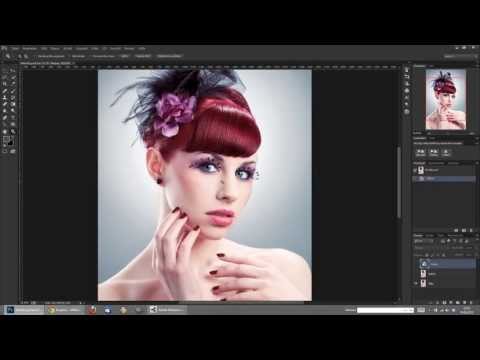
The Dodge & Burn Extension Panel 1.1.4 for Photoshop CC allows you to create 50%-Gray-Layers in both “Soft Light” and “Overlay” mode plus a preconfigured Channel Mixer adjustment layer to enhance visibility when retouching areas with faint contrast - all with the click of a button! If you are a high-end retoucher dealing with non-destructive dodge & burn techniques, you will come to love this handy little time saver!
Here’s the download link:
http://thinkingpixels.com/downloads/AMHuenseler_Dodge_and_Burn_114.zxp
I created a short video tutorial to explain how to use and install it and give some general introduction to non-destructive dodge & burn techniques in Photoshop CC, but though my panel already supports both German and English, I’m afraid the video is currently available in German only - sorry, so little time… It’s all fairly simple though, so enjoy this freebie! 
Video Tutorial: Professional Skin/Beauty Retouching
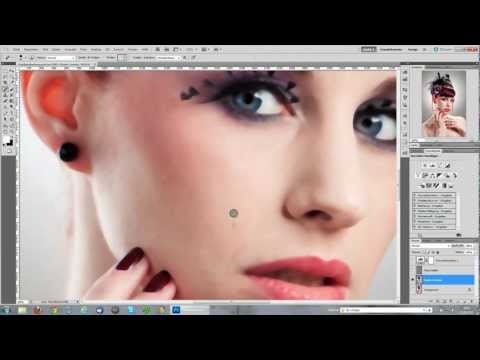
In this video tutorials I will be showing you my workflow for professional skin/beauty retouching in Adobe Photoshop CS5. Learning about frequency speration will give you more control over every aspect of the skin and enable you to soften the skin without losing any details like pores.
As always I recommend watching this tutorial in full screen view at 1080p resolution. Enjoy!
Note: This video tutorial is currently available in German only. Sorry.
Edit: WOW, over more than 23,000 views and heaps of excited comments already, thank you everyone for all your positive feedback!
 English
 Deutsch